Direct Ethernet vs Wi-Fi for IPTV Streaming UK
- The Physical Cable Advantage: Low Jitter and Zero Interference
- Wi-Fi Realities in British Homes
- Frequency Band Conflicts: 2.4 GHz vs 5 GHz
- Real-World Performance Tested: Cable vs Wireless
- Powerline Adapters and Mesh Networks: The Middle Ground
- Powerline Networking
- Mesh Wi-Fi Systems
- Which Connection Should You Choose?
A bad broadband link ruins live television faster than a broken remote control. If you’ve spent any time watching live broadcasts over home internet, you know the frustration of an endless spinning loading wheel right before a critical penalty kick or dramatic season finale. When choosing between Ethernet vs Wi-Fi for IPTV, the physical pathway carrying signal into your streaming receiver dictates whether picture quality stays sharp or drops down to pixelated sub-HD noise.
The Physical Cable Advantage: Low Jitter and Zero Interference
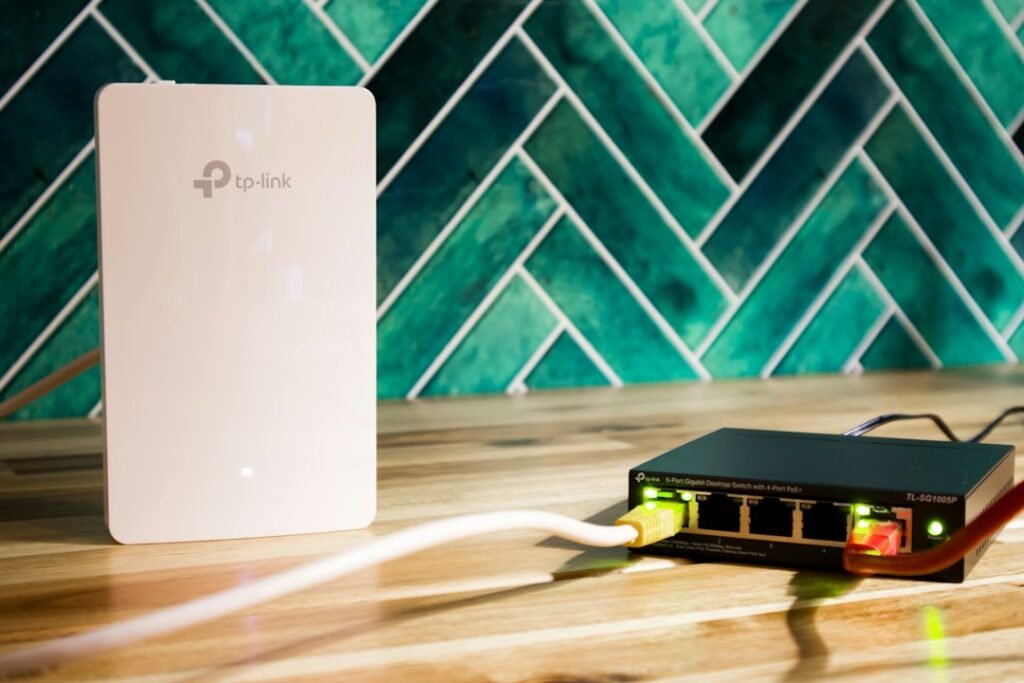
Running a physical network cable directly into your set-top box or smart television remains the gold standard for video delivery. Copper Ethernet cables send data packets through isolated wire strands protected by plastic shielding. Nearby electronics, microwave ovens, or thick stone walls in older UK terrace houses cannot disrupt the signal.
Packet delivery speed matters, but consistency matters far more for live video streams. In network engineering terms, variation in packet delivery timing is called jitter. High jitter causes your player’s buffer buffer pool to empty faster than new data arrives. When you use a direct network lead, packet delivery stays virtually flat. If you want to check whether your current broadband connection can handle raw stream throughput, read our guide on IPTV bandwidth myths vs reality.
Cat5e cables easily handle speeds up to 1,000 Mbps (1 Gbps) over 100-metre runs. Modern Cat6 cables double that capacity with improved crosstalk protection. Given that high-definition feeds need only around 10 Mbps and 4K broadcasts require roughly 25 to 35 Mbps, even a basic Cat5e lead provides way more headroom than any domestic stream will ever consume.
Wi-Fi Realities in British Homes
Wireless networks offer undisputed convenience. No one wants to drill holes through floorboards or run ugly white plastic trunking along skirting boards just to watch television. Modern Wi-Fi 6 (802.11ax) routers supplied by top UK broadband providers promise impressive theoretical speeds well above 500 Mbps. So why does wireless connection quality fall short so often?
Frequency Band Conflicts: 2.4 GHz vs 5 GHz
Most home routers split signals across two primary radio bands. The 2.4 GHz frequency penetrates brick walls and furniture effectively, but it suffers from severe congestion. Baby monitors, Bluetooth headphones, landline cordless phones, and your neighbours’ wireless networks all battle for space on this narrow frequency. This creates severe packet loss that causes random stream freezes.
The 5 GHz frequency band offers dramatically higher bandwidth and less congestion. It carries heavy data loads effortlessly. However, 5 GHz signals struggle to pass through solid structures. If your main broadband router sits in the hallway and your main television lives in a rear extension behind two thick brick walls, a 5 GHz wireless signal drops off sharply.
Real-World Performance Tested: Cable vs Wireless
Let’s look at how both connection methods perform in standard UK residential environments under real operating conditions.
Latency represents the time required for data to travel from your local router to your streaming device. Over a direct wired connection, local latency typically measures under 1 millisecond. Over a 2.4 GHz wireless connection situated three rooms away, local latency frequently spikes above 45 milliseconds, accompanied by lost data packets that force stream renegotiation.
If you’re aiming to refine your local setup further, taking time to optimise home network settings for IPTV can help squeeze maximum efficiency out of your router regardless of which connection method you pick.
Powerline Adapters and Mesh Networks: The Middle Ground
What if running an exposed cable across your living room floor isn’t realistic? You have two popular alternative solutions worth examining.
Powerline Networking
Powerline adapters send internet data over your home’s existing 230V electrical wiring. You plug one adapter into a wall socket near your router and connect it via short patch cable. You plug the second adapter near your television and run a cable into your set-top box. Modern HomePlug AV2 standard adapters provide reliable, stable links that bypass wireless interference entirely. However, performance depends heavily on the age and layout of your consumer unit and copper electrical wiring.
Mesh Wi-Fi Systems
Mesh systems replace a single central router with multiple interconnecting nodes placed around the house. They create a unified wireless blanket. Premium mesh units use a dedicated third wireless band (tri-band) exclusively for backhaul traffic between nodes. This maintains rapid throughput even in larger multi-story properties, though setting up a high-end mesh network costs significantly more than buying a simple ten-metre Ethernet patch lead.
Which Connection Should You Choose?
For live sports broadcasts, high-bitrate 4K content, and absolute peace of mind, a hardwired network cable wins every single time. It completely eliminates local interference, guarantees low jitter, and provides a rock-solid link regardless of what other household members are doing on their mobile phones.
Use a wired connection if your setup matches any of these conditions:
- Your television or set-top box sits within five metres of your broadband router.
- You regularly watch high-bitrate 4K live broadcasts.
- You live in a high-density apartment block with dozens of competing local Wi-Fi networks.
- Your home has thick interior stone or brick walls that block wireless signals.
Wi-Fi works adequately if your streaming device rests in clear line-of-sight of a modern 5 GHz router or mesh node, and you primarily watch standard on-demand video where longer pre-buffering hides minor packet drops. For step-by-step setup assistance with your television hardware, check our complete 7 practical steps for setting up IPTV guide.
Ready to upgrade your home viewing experience? Explore our flexible, fully licensed IPTV subscription plans to enjoy crystal-clear live television and on-demand entertainment across all your favourite home devices today.
Related reading
- How Content Delivery Networks Power Smooth IPTV Streaming in the UK
- How to Set Up Legal IPTV on Android TV in the UK: Step-by-Step Guide
2 Comments